Building AI Agents the Right Way: Design Principles for Agentic AI
Six battle-tested design principles for building AI agents that actually work in production.

Free AI Readiness Survey
How ready is your company for AI? Take our 3-minute assessment and get a personalized readiness report.
1. Embrace Modularity (Think LEGO Blocks)
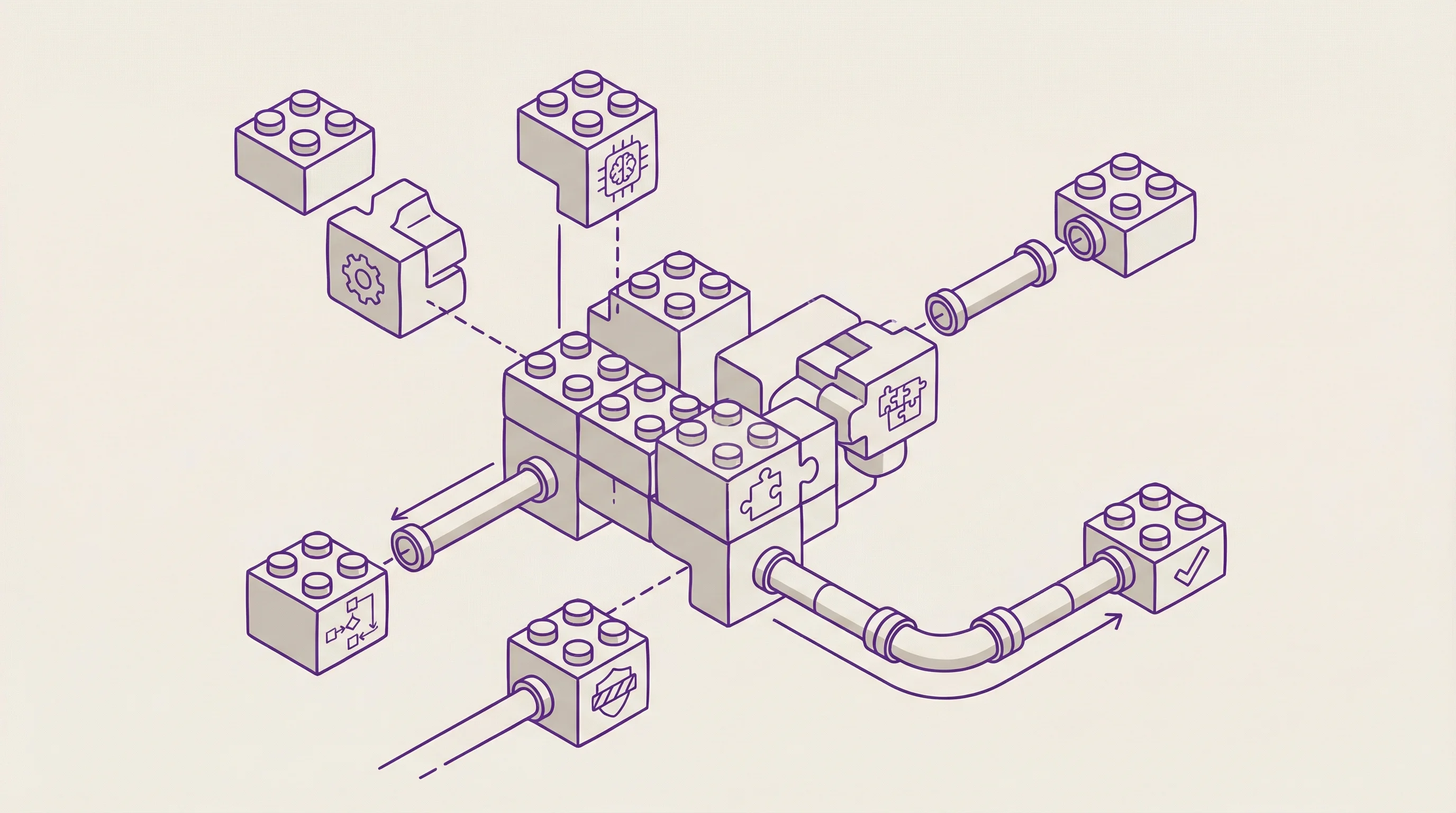
The first principle is to design your AI system as a collection of small, interchangeable components rather than one giant all-knowing model. In other words, build with LEGO blocks, not one big block. Each part of your agent (be it a sub-agent, a tool, or a prompt module) should have a single, well-defined purpose. This modularity, a core idea behind the Atomic Design philosophy, keeps your system understandable and flexible.
Why go modular? For one, it's much easier to test, debug, and maintain a set of simple components than a monolithic tangle of logic. If your agent's web-scraping tool is throwing errors, you can fix or swap out just that tool without having to rewrite the entire agent. Modularity also makes your agent more extensible: you can add new skills or upgrade components (say, switch to a better language model or a different database) with minimal fuss. The Atomic Agents framework embraces this fully: each "atomic" agent or tool does one thing well and cleanly interfaces with others.
By breaking a complex task into smaller atomic steps, you gain control and predictability. Instead of hoping a single black-box model magically figures everything out, you orchestrate a series of manageable steps. It's the classic software engineering wisdom of separation of concerns: keep each piece of logic separate and your whole system stays sane. In practice, a modular agent might have distinct components for, say, fetching data, summarizing content, and sending an email, rather than one model prompt trying to do all of those at once. This way, when something goes wrong (and trust me, something will go wrong), you'll know exactly which piece to tweak, and your whole agent won't crumble.
2. Implement Persistent Memory (Don't Let It Forget)
If your agent doesn't remember anything beyond its current query, you're going to have a bad time. Real-world agents need long-term memory. This means they should retain important information from past interactions or events and use that context in the future. Without persistent memory, an agent is like an amnesiac employee: it will ask the same questions or repeat the same mistakes over and over.
By giving your AI agent a memory, you enable learning and personalization over time. For example, if a user has told the agent their preferences or important project details, the agent should be able to recall those later without being explicitly told again. Technically, this often involves plugging in a vector database or other storage mechanism to act as the agent's "external brain." The agent can embed and save key facts or conversation snippets, and later query them when needed. When I build agents, I often integrate something like ChromaDB (an open-source vector store) to persist conversational context or domain knowledge.
Persistent memory turns your agent from a one-off problem-solver into a continuously improving assistant. It can refer back to "what happened last week" or "what the user prefers", making its responses more relevant and avoiding redundant back-and-forth. In the Atomic Agents approach, memory modules (context providers) can be attached so that each time the agent runs, it pulls in any relevant history or facts as part of its input. The bottom line: don't make your AI start from scratch every time. Give it a memory, and it will behave far more intelligently and consistently.
3. Plan and Orchestrate the Workflow
Handing an LLM-powered agent a complex goal and saying "go figure it out" is a recipe for chaos. Effective AI agents need a clear game plan. This is where orchestration comes in: you (the developer) or a higher-level controller should break big tasks into structured steps and coordinate the agent's actions. Don't rely on "magic autonomy" to handle multi-step operations reliably. Instead, design an explicit workflow or use a planner that knows which sub-tasks to execute in what order.
Think of it this way: even human teams have project managers and checklists to keep them on track. Your AI agent (or team of agents) is no different. For example, if the agent's job is to research a topic and then write a report, you might orchestrate it as: first call a research tool agent to gather facts, then have a writing agent produce a draft, then a proofreading module to check the draft. Each step feeds into the next in a controlled manner. By contrast, if you just ask one agent to "do research and write a report and proofread it," it might skip important steps or get confused about the order.
We've all seen the flashy autonomous agent demos that spawn dozens of sub-agents and let them talk to each other endlessly. Cool in theory; in practice, they often loop aimlessly or stray off task because nobody is steering. A robust design avoids unchecked autonomy. In my experience, it's better to have a single orchestrator agent (or a main script) that calls on tools and sub-agents deliberately, rather than agents spawning agents ad infinitum. The Agentic AI approach works best when there's a sense of hierarchy and sequence: high-level planning followed by step-by-step execution.
In short, design your agents like a well-choreographed play, not an improv theater. You'll get far more consistent and reliable results when each move is planned and nothing is left entirely to chance.

4. Adopt Defensive Design (Validate and Handle Errors)
Even the smartest AI will stumble if you let it. A robust agent is built with the expectation that things will go wrong and it knows how to deal with it. This is where defensive design (a concept borrowed from good old defensive programming) comes into play. In practice, it means diligently validating outputs and inputs at every step and handling the unexpected gracefully instead of crashing or spewing nonsense.
Some defensive practices I swear by:
- Input validation: Never trust incoming data blindly. If the user or another system provides info, check that it's in the format and range you expect.
- Assertions and sanity checks: After each agent step, verify that the result makes sense. For example, if your agent was supposed to output a JSON with a "result" field, assert that "result" is present and of the right type.
- Graceful error handling: Anticipate errors and handle them without drama. Catch exceptions from API calls or model responses and implement fallback strategies. If the web search tool fails, maybe retry once or use an alternate source.
In essence, never assume your AI will get everything right on the first try. I've seen agents cheerfully produce invalid outputs (like JSON with missing brackets or extra commentary) as if nothing was wrong. In one project, an agent would occasionally return an answer wrapped in a polite apology or extra explanation, breaking the format I needed. Instead of shrugging and fixing it by hand, I coded the pipeline to detect such deviations and either trim them or ask the model to retry in the correct format. The goal is to make the system robust: if part of the output is missing or some tool misfires, the agent should catch it and either recover or at least fail gracefully with a useful error message.
One useful trick is to use tools that enforce structure, for instance, using OpenAI's function calling or a schema library (like Pydantic) to force the model's output into a specific format. But even then, trust but verify. Every output that moves through your agent pipeline should be treated with a healthy dose of skepticism and checked before the next step uses it. This way, your agent won't be derailed by a single hiccup or unexpected input.
5. Define Clear Interfaces and Boundaries
Interfaces matter, even for AI. One reason many agent systems break is a lack of clarity in how components talk to each other or to the outside world. To build a stable agent, you should explicitly define how it interfaces with tools, humans, and other systems. In practice, this means being very clear about the format of inputs and outputs and the limits of the agent's responsibilities.
For instance, if your agent can call external tools (APIs, databases, etc.), define each tool's interface as if you were defining a function in code. What inputs does it expect, and what outputs will it return? Then make sure the agent is aware of this contract. Modern frameworks allow you to do this by providing schemas or function signatures to the AI model. In my projects, I often use strict schemas (even Pydantic models) for tool inputs/outputs so that the agent's outputs can be automatically validated against the expected interface (tying back to that defensive design!).
Clear interfaces also mean consistent formatting. If your agent responds to users, decide on a format or style guide for responses and stick to it. Don't let the agent one day output a casual "Sure, done!" and the next day a verbose five-paragraph essay, unless that's intentional. Consistency makes it easier for whatever is consuming the agent's output (maybe another program or a UI) to parse and use it effectively.
Setting boundaries is equally important. Define what the agent is supposed to do, and by extension what it's not supposed to do. If an incoming request falls outside its scope, a well-designed agent should recognize that and perhaps escalate to a human or a different system, rather than attempting something crazy. Also, use the right tool for the job: if a task can be handled with a straightforward algorithm or database query, don't force your AI agent to do it via prompt. This way, the AI focuses on what it's best at (language understanding, fuzzy logic, creative tasks) and leaves rigid or sensitive operations to standard code.
By clearly delineating these interfaces and boundaries, you prevent a whole class of bugs where the agent "misunderstands" what it's supposed to do or produces output that doesn't play nice with the rest of your system. Clarity is key: every part of your agent pipeline should know exactly how to speak to the others.
6. Align with Reality (Practicality and Testing)
Finally, design your AI agent for the real world, not just a glossy demo. This sounds obvious, but it's where many projects fall flat. Real-world alignment means making sure your agent actually solves a meaningful problem in a way that's usable and reliable outside of ideal lab conditions. It involves practicality, user feedback, and lots of testing.
First, keep the scope grounded in real needs. It's better to have an agent that does one or two things consistently well for your users or business than a theoretical do-everything agent that in reality does nothing reliably. Be problem-centric: identify a concrete use case and let that drive your design (which tools to include, what data to feed it, how much autonomy to allow, etc.). This guards against building tech for tech's sake. As a developer, I remind myself: an AI agent is a means to an end, not the end itself.
Next, remember that the wild is messy. Your agent should be prepared for real-world input and situations. Users will phrase requests in odd ways. Data might come in noisy. APIs your agent calls might return errors or slow responses. Design with these in mind (combined with that defensive approach). Also, consider performance and cost constraints from day one. If your agent requires 20 calls to GPT-4o for a single task, it might be too slow or expensive to deploy at scale. Look for optimizations, like caching results, using cheaper models when precision isn't critical, or simplifying the task flow.
Crucially, test your agent extensively in realistic scenarios. It's not enough that it works on a curated prompt you've tried a few times. Throw real-world edge cases at it. If your agent helps schedule meetings, test it with conflicting appointments, weird calendar formats, or unreasonable user demands. Observe where it fails or produces awkward outputs, and refine accordingly. Engage actual users in a pilot and listen to their feedback: they will quickly reveal what matters and what's annoying about your agent's behavior.
Finally, alignment has a human factor: make sure the agent's behavior fits the context and values of its users. If it's customer-facing, it should follow the tone and policies of your organization. If it's internal, it should actually make your team's life easier, not harder. Sometimes this means adding a confirmation step for safety, or restricting certain actions entirely. The key is to bridge the gap between AI capabilities and human expectations. When an agent is truly aligned with the real world, you can feel it: it's useful, trustworthy, and seamlessly integrates into the workflow rather than feeling like a science experiment.
In summary, keep it real. The most elegantly engineered AI agent means little if it can't function robustly in the environment it was intended for. So iterate, test in reality, and refine until your agent isn't just impressive on paper, but impactful in practice.
Conclusion
Designing effective AI agents is equal parts technical craftsmanship and pragmatic realism. It's not enough to cobble together the latest libraries and call it a day: you have to architect these systems thoughtfully, anticipate the edge cases, and keep your solution grounded in real-world needs. The principles of modular design, memory, orchestration, defensive handling, clear interfaces, and real-world alignment are not hype; they're hard-earned lessons from the trenches of AI development. By following these design principles, you'll find that your AI agents become more than just demo darlings: they turn into reliable, valuable tools that actually get the job done. And ultimately, that's what matters: building AI that works for us, not just in theory, but in practice.
Ready to build AI that works?
Whether you're just getting started or scaling an existing initiative, we can help your team move faster and get real ROI.
Let's talk